Client Dashboards — Art Direction
Venue and Event Dashboards provide venue clients and internal staff with unified interfaces that delivers quick, high-level visibility into current and upcoming events while enabling efficient account management. The dashboards surface essential client and event data at a glance, alongside internal-only notes that can be viewed, edited, and deleted by authorized team members. A dedicated left-side navigation offers streamlined access to deeper account management tools and workflows, ensuring both client users and internal staff can quickly locate and manage the information and functions relevant to their role.
Floating Action Buttons and Notes
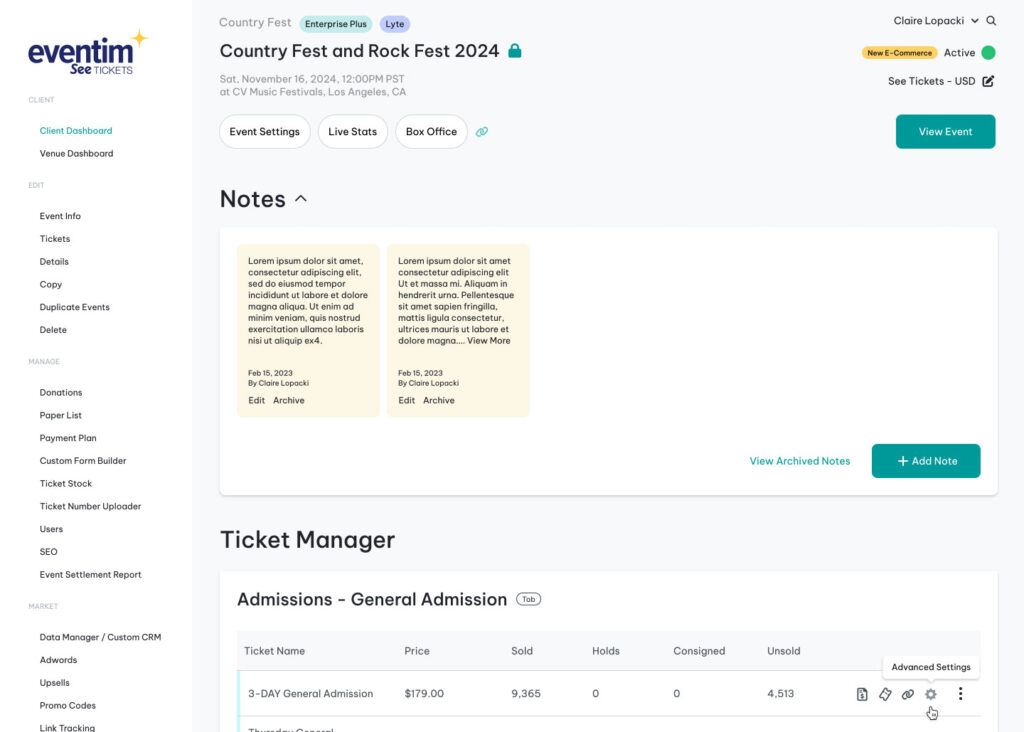
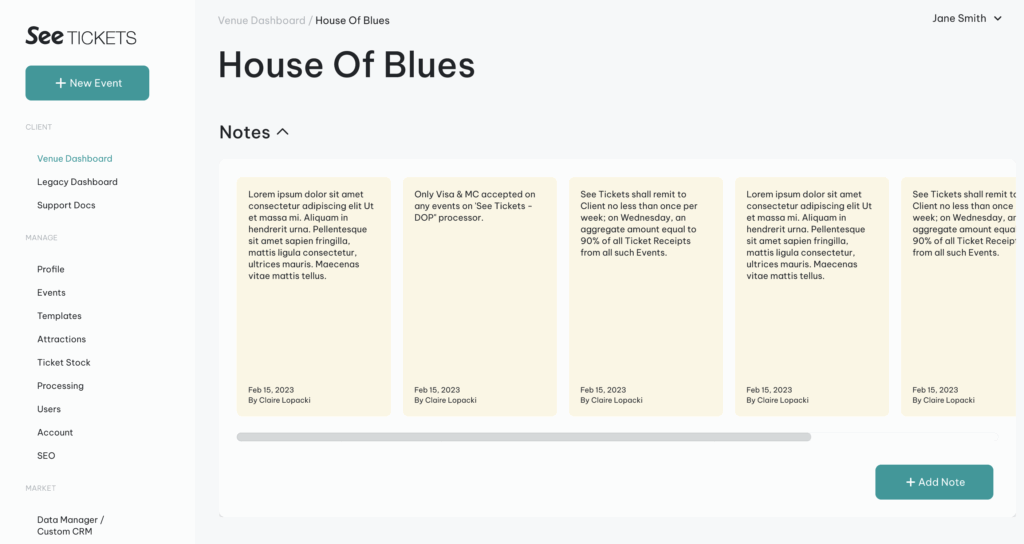
Floating action buttons at the top of the Venue Dashboard ensures high-value tasks are instantly reachable upon page load, reducing navigation time, improving workflow efficiency, and supporting quicker task execution across the dashboard.
Notes section enables internal staff to efficiently capture, reference, and manage key account or event-related information. This feature ensures quick access to relevant context, supports operational accuracy, and maintains confidentiality by allowing authorized users to add, edit, and delete notes that are never exposed to clients.
Event and Ticket Type Listings
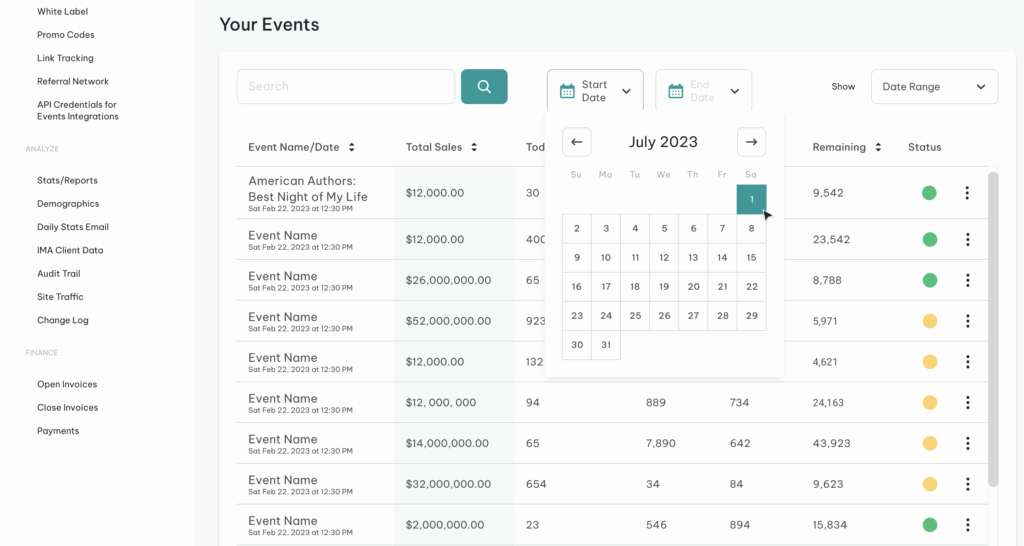
On the Venue Dashboard, an Event Manager provides venue clients and internal staff with immediate, high-level visibility into key ticketing metrics for each event. The section presents essential information—such as events, sales metrics, allotment, and status—in a clean, tabled layout that enables fast scanning and informed decision-making. This quick-access view serves as a launch point for deeper event management tools, supporting both operational efficiency and real-time event oversight.
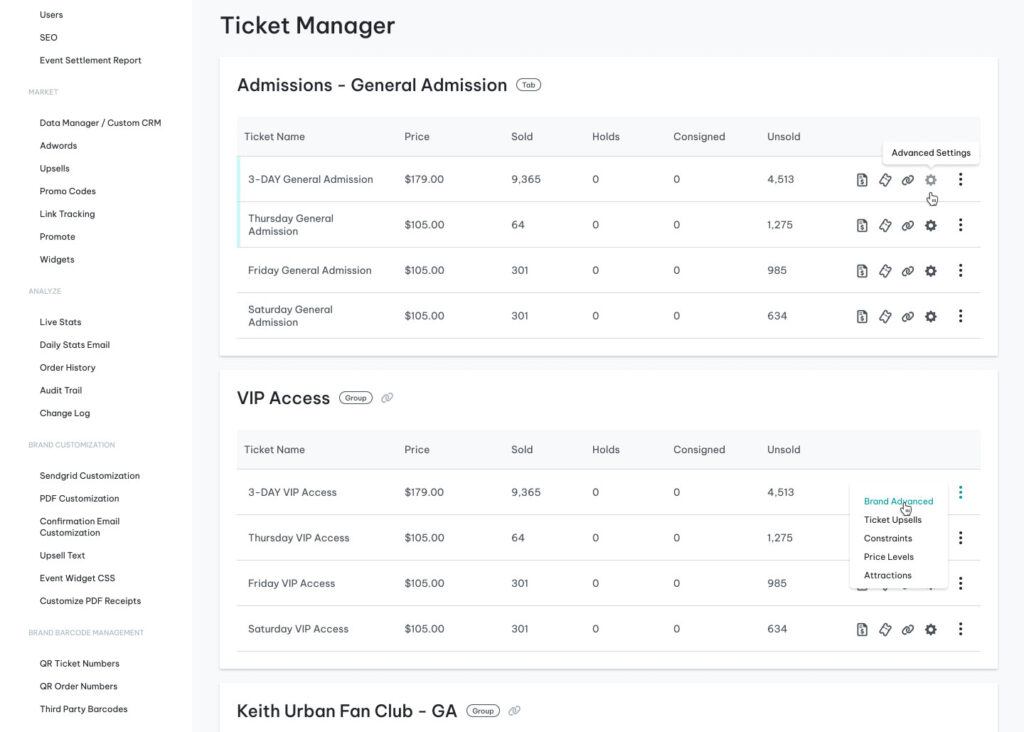
On the Event Dashboard, a Ticket Manager provides clients and internal staff with immediate, high-level visibility into key ticketing metrics for each ticket type. The section presents essential information—such as ticket types, pricing, tickets sold, and status—in a clean, tabled layout that enables fast scanning and informed decision-making. This quick-access view serves as a launch point for deeper ticket management tools, supporting both operational efficiency and real-time event oversight.
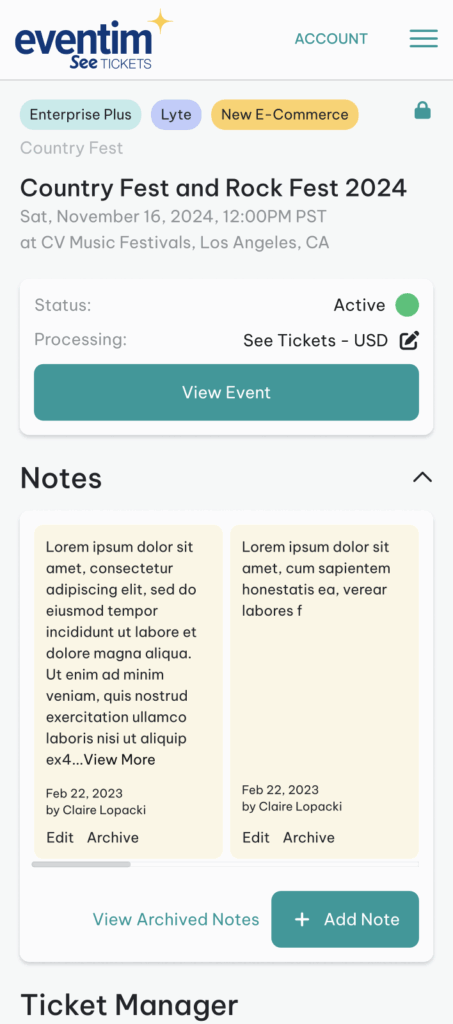
Mobile View
Although these dashboards are primarily designed for desktop-based administrative workflows, a streamlined mobile experience is provided to ensure essential visibility and access on the go. The mobile version prioritizes quick consumption of key event data—such as ticket metrics and internal notes—through a simplified, responsive layout optimized for smaller screens. While it does not replicate the full depth of desktop functionality, it enables users to stay informed and perform interactions when they’re away from their primary workstation.